
A Tuesday afternoon can hold a soccer practice, a school concert, a tutoring session, a work meeting that runs late, and one question nobody has answered: who is handling pickup? An extracurricular activity planner turns that scramble into a shared plan. Instead of relying on text threads, paper flyers, and one person's memory, it gives everyone a clear view of what is happening, when it starts, and what needs to happen next.
For busy families and activity organizers, the goal is not to schedule every minute. It is to reduce the number of surprises that create avoidable stress. A useful planner brings school commitments, practices, events, transportation, and deadlines into one place so the people involved can act with confidence.
What an extracurricular activity planner should solve
Extracurricular activities are rarely just calendar entries. A practice may require equipment, a game may require a ride, and a school event may require an RSVP, payment, costume, or early pickup. When these details live in separate places, the calendar can look organized while the actual coordination is still incomplete.
A good planner connects the event to the decisions around it. Parents and caregivers need to see conflicts before they become last-minute problems. Children need simple, reliable reminders. Coaches and group organizers need a way to communicate schedule changes without wondering whether everyone saw the message.
The biggest benefit is shared visibility. If one parent adds a new rehearsal, another caregiver should not have to hear about it later in a rushed phone call. If a coach moves practice because of weather, the update should be easy to find alongside the original schedule. That visibility lowers the mental load carried by the person who usually keeps everything moving.
Start with one shared calendar, not several partial ones
Most coordination problems begin with fragmentation. School calendars may be in email, team schedules may be in an app, appointments may be on a personal phone, and family plans may be discussed in messages. Each source may be accurate on its own, but no one can easily see the full week.
Set up one shared calendar view as the home base. Add recurring practices, rehearsals, lessons, club meetings, games, tournaments, school deadlines, and family commitments. Then make that view available to the adults and organizers who need it. The right level of access depends on the household or group. A caregiver may need full editing access, while an older child may only need to view events and receive reminders.
Do not try to rebuild every historical event. Begin with the next four to six weeks, then add future dates as they become known. This creates immediate usefulness without turning setup into another major project.
Use consistent event names
Clear naming prevents fast calendar checks from becoming guesswork. “Basketball” is less helpful than “Jordan - Basketball Practice.” “School” is less helpful than “Maya - Science Fair Setup.” For team organizers, include the team name, location, and event type when space allows.
Consistency matters most in households with multiple children or groups with several age divisions. At a glance, people should be able to tell who the event is for and whether it is a practice, performance, meeting, game, or deadline.
Add the details that change decisions
The start and end time are only part of the plan. Include the location, arrival time, pickup time, required items, and any cost or response deadline. A 6:00 p.m. game may really mean leaving home at 5:15, arriving at 5:40, bringing a jersey, and confirming a ride before noon.
Keep these notes practical. Long explanations are easy to ignore, especially on a phone. Write the information people need at the moment they are deciding what to do.
Build in transportation and responsibility
A calendar conflict is not always a timing conflict. It is often a responsibility conflict. Two events can occur at different times and still create a problem if one adult is expected to drive both children, bring supplies, or stay for a meeting.
For each event that needs coordination, identify an owner. That may be a parent, caregiver, player, coach, or another trusted adult. The owner does not have to do every task. They simply make sure the task has been covered.
This is especially useful for carpools and team events. Note who is driving, who is riding, where pickup happens, and when everyone should be ready. If the plan changes, update the shared event rather than relying on a new message that may get buried in a group chat.
There is a trade-off here: assigning responsibility can feel more formal than some families need. For a single weekly lesson, a detailed ownership system may be unnecessary. For overlapping practices, rotating carpools, and tournament weekends, it prevents the familiar problem of everyone assuming someone else has it handled.
Make reminders useful, not noisy
Reminders work when they arrive early enough to support action. A notification five minutes before practice may confirm the event, but it will not help with transportation or equipment. Use more than one reminder for commitments with preparation involved.
For example, a school form might need a reminder two days before the deadline and another on the morning it is due. A Saturday tournament could use a reminder the night before for equipment and an alert before the team needs to leave. Regular activities may need fewer notifications once the routine is established.
Avoid sending alerts for every small calendar item. Too many reminders train people to dismiss them. Reserve stronger notifications for events that require a decision, preparation, travel, or attendance confirmation.
Review the week before it starts
The most effective extracurricular activity planner is not something you enter once and forget. A short weekly review keeps it current as practices move, school events are added, and family plans change.
Choose a predictable time, such as Sunday evening or Monday morning. Spend ten minutes looking at the next seven days together. Check for conflicts, transportation gaps, equipment needs, fees, and deadlines. This is also the right time to decide whether a busy week needs a simplified dinner plan, adjusted work coverage, or help from another caregiver.
For coaches and activity organizers, the same habit can reduce confusion across the group. Confirm upcoming locations, arrival times, weather plans, volunteer needs, and any required materials. People are more likely to follow a plan when they can see it before the day becomes busy.
A weekly review should not turn into a lengthy family meeting. Its purpose is to answer a few practical questions: What changed? Where are the conflicts? Who is responsible? What needs to be prepared now?
Plan for changes without rebuilding everything
Schedules change because fields close, teachers adjust dates, games run long, and children decide to try new activities. The planner should handle those changes without creating duplicate events or confusion about which version is correct.
When an event changes, update the original entry whenever possible. Include a brief note explaining the change if it affects transportation, equipment, or attendance. For cancellations, mark the event clearly rather than simply deleting it if people may be expecting it. A visible cancellation can prevent an unnecessary drive across town.
It also helps to separate confirmed commitments from tentative ones. A possible tournament, an expected recital date, or a pending tryout can be added as tentative so the time is protected without being mistaken for a final plan. Once details are confirmed, update the event and alert the people affected.
Choose a system people will actually use
The best planning system is not necessarily the one with the most features. It is the one that fits into daily life. If grandparents help with pickup, they need a view that is simple to understand. If a coach manages a team, they need a dependable way to share changes. If both parents work, they need updates that do not depend on one person manually relaying every detail.
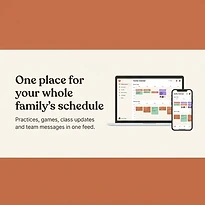
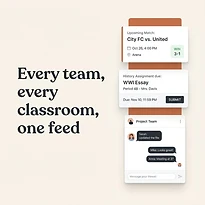
A shared platform such as SynclyOne can bring family schedules, school obligations, and team activities into one organized control center. That matters because these responsibilities often overlap. Treating them as separate calendars may preserve information, but it does not always create coordination.
Keep the system simple enough that adding a new event takes less time than explaining it in a message. Use it consistently, establish who updates what, and make the shared calendar the place people check first.
The planner is there to create room for the parts of family and team life that matter more than logistics. When everyone can see the next step, an unexpected schedule change becomes a manageable adjustment instead of a household emergency.