A missed practice pickup rarely happens because a family does not care. It happens because the practice schedule was in one app, the school reminder was buried in email, and the person handling pickup never saw the latest change. The best tools for household logistics solve that visibility problem. They give everyone a clear view of what is happening, who is responsible, and what needs attention next.
For busy families, caregivers, coaches, and activity organizers, the goal is not to build a complicated productivity system. It is to replace scattered information with a routine people can actually follow when the week gets busy.
What household logistics tools need to handle
Household logistics includes more than a shared calendar. It is the work of coordinating school events, appointments, practices, carpools, meals, recurring chores, forms, supplies, and the messages that change plans at the last minute. A useful system needs to show both the plan and the handoffs between people.
The right setup depends on your household. A family with younger children may need clear pickup assignments and recurring routines. Families with teens may need shared visibility without turning every reminder into a parent-managed task. A coach or group organizer may need to manage attendance, schedule changes, and team communications alongside home responsibilities.
The most effective tools usually cover four connected jobs: a shared schedule, assignable tasks, a place for essential information, and reliable reminders. When those jobs live in separate places, people spend time searching and confirming. When they are connected, coordination becomes easier.
The best tools for household logistics by function
A shared calendar for the non-negotiables
A shared calendar is the foundation. It should hold events that affect someone else's time: school days, appointments, practices, performances, travel, meetings, and pickup windows. The calendar should make ownership visible. If an event requires transportation, everyone should be able to see who is driving.
A calendar works best when it is not overloaded with every personal thought or minor task. Put time-specific commitments on it. Keep shopping reminders and household to-dos elsewhere. This distinction makes the calendar easier to scan and reduces the chance that an important event gets lost among routine reminders.
Color coding can help, especially in larger families, but use it consistently. Assign colors by person, activity type, or household category, then keep that system stable. A calendar with six changing color rules creates more work than clarity.
A shared task list for repeatable work
Tasks are for actions that need ownership but do not always have a fixed time. Think refill prescriptions, return library books, pack a lunch, schedule a repair, bring snacks to practice, or submit a school form. The key feature is assignment. “Buy groceries” is less useful than “Jordan buys groceries by Thursday.”
Recurring tasks are especially valuable for household routines. Weekly trash and recycling, pet care, laundry, meal planning, bill review, and activity preparation should not have to be remembered from scratch. Set them up once, then review them as needed.
Avoid assigning every small task to every person. Shared lists can quickly feel like surveillance if they become too detailed. Focus on responsibilities that affect other people or need a clear handoff. The purpose is less mental load, not a more detailed record of it.
A central place for school and activity details
The schedule tells you that there is a game at 6:00 p.m. The details tell you which field, what uniform is required, whether snacks are needed, and who to contact if plans change. Those details often disappear into old messages or paper handouts.
Use one central place for information people repeatedly need. This can include school contacts, team rosters, activity requirements, pickup instructions, medical notes that caregivers should know, and household service details. Keep the information practical and current. If a document is only needed once, it may not need permanent storage.
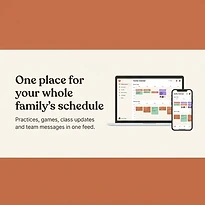
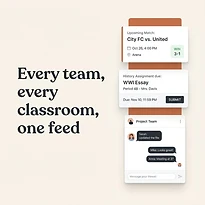
This is also where a single coordination platform can make a difference. SynclyOne is designed to bring family schedules, school commitments, and team activities into one organized system, reducing the need to switch between disconnected calendars, messages, and reminders.
Reminder tools that reach the right person
A reminder is useful only if it reaches the person who can act on it. A household-wide notification for a dentist appointment may be unnecessary, while a reminder to pack an instrument the night before a concert may need to reach both a child and a parent.
Use reminders sparingly. Too many alerts train people to dismiss all of them. Reserve notifications for deadlines, changes, departures, and preparation steps that would create a real problem if missed. For recurring routines, a daily or weekly check-in may be better than multiple individual alerts.
A simple family communication channel
Messages are unavoidable, but they should not be the only source of truth. Use your communication channel for updates, questions, and quick confirmations. Put final decisions back into the calendar, task list, or shared information space.
For example, a group message can settle who is taking a child to practice. Once decided, add the driver to the event. That small habit prevents the familiar problem of everyone remembering a conversation differently.
How to choose a system people will use
The best tool is not necessarily the one with the longest feature list. It is the one your household can maintain during a normal Tuesday evening. Before choosing a platform or building a tool stack, assess how your group already communicates and where things break down.
Start with the source of your most frequent mistakes. If people miss events, prioritize a better shared calendar. If responsibilities are unclear, focus on task assignment. If school and team information is scattered, choose a tool that centralizes event details and updates.
Also consider who needs access. Grandparents, babysitters, co-parents, older children, and assistant coaches may need different levels of visibility. A good system should be easy enough for occasional users to check without extensive training. If only one household manager understands it, the system has not truly reduced the management burden.
Keep these practical criteria in mind when comparing options:
- Shared visibility across family, school, and team commitments
- Clear ownership for tasks, pickups, and follow-up actions
- Easy mobile access for updates away from home
- Simple notifications that can be adjusted by person and event type
- A layout that helps users find information without searching through old messages
There is a trade-off between flexibility and simplicity. General-purpose productivity tools can be customized, but they may require more setup and ongoing maintenance. Dedicated family coordination tools can be easier to adopt, though they may not fit every highly specialized workflow. Choose based on the coordination problems you need to solve now, not on features you may never use.
Set up your household system in one focused hour
A better system does not require a weekend project. Begin by adding the next two weeks of fixed commitments: school events, work conflicts, appointments, practices, games, and travel. This creates an immediate picture of pressure points and double bookings.
Next, assign the events that need a responsible adult. Transportation, attendance, payments, and preparation are common areas where assumptions cause trouble. If responsibility is shared, state the handoff clearly. One person may pack equipment while another handles pickup.
Then add only the recurring tasks that create friction when forgotten. Start with five to ten. You can always add more later, but a long task list on day one makes a new system feel like extra work.
Finally, agree on a weekly review time. Ten minutes on Sunday evening or Monday morning is enough for many households. Review the upcoming schedule, check transportation, flag supplies or forms, and confirm any changes. This short routine is where the tool becomes a dependable habit rather than another app installed and ignored.
Keep the system useful as life changes
Household logistics is never fully finished. Sports seasons start, school schedules shift, jobs change, and children become more independent. Review what is working every few months. If people are still asking the same questions in messages, the shared system may be missing an important piece of information or may be too difficult to check quickly.
The goal is not perfect planning. A useful household system gives people enough visibility to respond calmly when plans change. When everyone can see the next commitment, the responsible person, and the details that matter, coordination takes less effort and family time has more room to feel like family time.