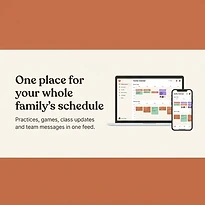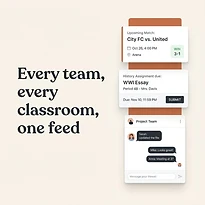

A shared calendar can stop the familiar 6 p.m. scramble: Who is picking up from practice? Was that dentist appointment today? Does the school concert conflict with the away game? But before adding every commitment, many coordinators ask: are shared family calendars private?
The practical answer is: they can be, but privacy depends on the calendar settings, the people invited, and the details placed inside each event. A shared calendar is designed to give a group visibility. The goal is not total secrecy. The goal is giving the right people enough information to coordinate without exposing more than they need.
Are shared family calendars private by default?
Usually, a shared family calendar is private from the general public. It is not automatically searchable online or visible to strangers. However, it is visible to the people who have been granted access, and what they can see depends on the permission level assigned to them.
That distinction matters. A calendar can be private in the sense that only your household, caregivers, or team staff can access it. At the same time, it may not be private from every person within that group. If six relatives, a babysitter, and two coaches are calendar members, each person may see event titles, times, locations, notes, and invitees unless the calendar is configured more carefully.
Many calendar apps offer several permission levels. Some users can only view events, while others can add or edit them. The most sensitive setting is usually full management access, which may allow someone to change permissions, invite new people, or remove calendar entries. Reserve that access for the person or small group responsible for managing the calendar.
Privacy is about details, not just access
An event title can reveal more than most families intend. “Doctor appointment” shares very little. “Dr. Lee follow-up for anxiety medication” shares health information with everyone who can view the calendar. The same issue applies to school, legal, financial, and relationship-related events.
Location fields deserve the same attention. A practice location at a school or public field is generally appropriate for a shared family calendar. A home address, a child’s regular pickup location, or a private meeting place may need more care. If a location is necessary, make sure only the people responsible for transportation can see it.
Attachments and notes can create another privacy gap. A calendar event may hold a confirmation number, a school document, a medical reminder, or contact information. Before adding those details, ask whether everyone with access needs them. If the answer is no, store the detail in a more limited place or send it directly to the person handling the task.
For most families, the right approach is simple: keep the shared calendar focused on coordination. Use it to show where people need to be, when they need to be there, and who is responsible. Keep personal context brief.
Choose access based on responsibility
Not every person in a family or group needs the same view. A co-parent may need full visibility and editing ability. A grandparent who occasionally helps with pickup may only need to see a few school and activity events. A teen may need awareness of their own schedule without access to every adult appointment in the household.
Think in terms of roles rather than convenience. It takes a few minutes to set up limited access, but it can prevent awkward oversharing later.
A useful structure is to separate schedules when the audience is different. You might maintain a household calendar for broad family commitments, a school calendar for assignments and events, and a team calendar for practices and games. The people managing each area can see what they need without automatically receiving access to everything else.
This is especially useful for blended families, shared custody arrangements, caregivers, and community groups. More shared visibility can reduce missed handoffs, but it should not require everyone to see every part of someone else’s life.
Watch for the common privacy gaps
Most calendar privacy problems are not caused by a dramatic security failure. They come from small decisions made in a hurry: inviting the wrong email address, leaving an old caregiver on the calendar, or assuming an event is hidden when it is not.
Review these areas when setting up or checking a shared calendar:
- Membership: Remove former caregivers, staff, family members, or teammates who no longer need access.
- Permission levels: Give view-only access whenever editing is unnecessary, and limit owner or administrator access.
- Event visibility: Check whether individual events can be marked private, hidden, or visible only to selected members.
- Notifications: Confirm who receives alerts when an event is created, changed, or canceled. Notifications can reveal event details on a lock screen.
- Shared devices: Sign out of old tablets, family computers, and devices used by people outside the household.
These checks are not about creating extra work. They are routine maintenance, similar to updating an emergency contact or checking that the right person is on the school pickup list.
Protect accounts, not just calendars
Calendar permissions only work if the accounts behind them are protected. A shared calendar can be carefully organized, yet still exposed if someone’s account password is reused, easily guessed, or saved on an unsecured device.
Each adult should use a strong, unique password for the account connected to the calendar. Turn on multi-factor authentication when the platform offers it. That extra verification step is particularly worthwhile for accounts that contain school schedules, addresses, travel plans, and children’s activities.
Avoid using one shared login for the entire family. A shared password makes it difficult to tell who changed an event, limits your ability to remove access cleanly, and creates trouble when a relationship or responsibility changes. Individual accounts with shared calendar access provide more control.
Also consider what appears outside the app. A calendar notification that says “Maya - counseling, 4:30” can be visible to anyone near an unlocked phone. Adjust notification previews if a device is frequently shared or used around colleagues, classmates, or guests.
When a separate calendar is the better choice
A single calendar is not always the most private or most manageable answer. If your shared calendar has become crowded with appointments, practices, school deadlines, work travel, and personal reminders, separate calendars may actually make coordination easier.
For example, a household can share a main calendar for events that affect transportation or family availability. Each adult can keep personal work and health appointments on a private calendar, sharing only the blocked time when needed. A coach can run a team calendar that includes practices and game details without being connected to a parent’s household schedule.
The trade-off is that multiple calendars require clear naming and a simple routine for checking them. The payoff is more appropriate visibility. A coordinated system should reduce mental load, not ask every member to sort through information that does not apply to them.
Platforms built for family and group coordination, including SynclyOne, can help keep school, household, and team activities organized in one operational view. Still, the same principle applies: use clear groups, practical permissions, and event details that fit the audience.
A simple privacy routine for busy coordinators
Set aside ten minutes at the start of a school season, a sports season, or a new caregiving arrangement. Review who has calendar access, what they can do, and whether any calendar categories should be separated. Then make privacy part of the event-creation habit.
Before saving a new event, ask three quick questions: Who needs to see this? What is the minimum detail they need? Would I be comfortable with every calendar member reading this title, note, and location? If not, shorten the event, use a private category, or communicate the sensitive detail directly.
A well-managed shared calendar does not need to contain every detail of family life. It needs to give the right people a reliable view of the commitments they share. That is enough to keep pickups covered, practices attended, school events remembered, and personal boundaries respected.
The best calendar rule is simple: share the schedule, not every private detail behind it.