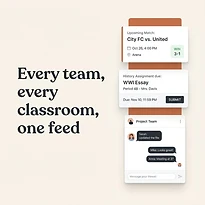

A 6:00 p.m. practice looks simple until it overlaps with a school concert, a late work meeting, a carpool change, and a reminder buried in a group text. That is where team scheduling breaks down. The problem is rarely that people do not care. It is that the details live in too many places, and the person coordinating them becomes the default memory system for everyone else.
For families, coaches, and group organizers, a useful schedule does more than display dates. It gives people a clear answer to three practical questions: What is happening, who is responsible, and what needs to happen before then? When those answers are visible in one place, coordination becomes calmer and missed details become less common.
Why Team Scheduling Becomes So Difficult
Most groups start with a reasonable system. A coach sends practice dates by email. A parent adds them to a personal calendar. A school uses a separate portal. Changes go into a text thread, while transportation is handled through individual messages. Each tool may work on its own, but the complete plan is scattered.
That creates extra work at exactly the wrong moment. If practice moves, someone has to update the calendar, tell the family, notify the carpool, check for a conflict, and remember any equipment or payment deadline tied to the event. A change that should take a minute can turn into a chain of messages and assumptions.
The pressure increases when one adult coordinates several people. Parents may be tracking school events for multiple children alongside work appointments and household tasks. Coaches may be managing attendance, games, volunteers, and field changes. Community organizers face similar challenges with members who have different availability and communication preferences.
A shared system will not eliminate every conflict. It can, however, make conflicts visible early enough to solve them. That difference matters. A known conflict can be discussed. A hidden conflict becomes a last-minute problem.
Build Team Scheduling Around One Shared View
The foundation of effective team scheduling is a shared view that people can trust. It should show the events that affect the group, not just the events one person happens to remember to enter. Practices, games, school activities, meetings, appointments, volunteer shifts, and travel plans may all belong in the same planning picture when they affect the same people.
This does not mean every family member or participant needs access to every personal detail. Shared visibility should be purposeful. A team may need to see game times, locations, arrival expectations, and whether volunteers are assigned. A household may need to see school events and practices while keeping private appointments limited to the people involved.
The goal is not to create a crowded calendar. It is to create a reliable operating view. When people can open one place and understand the week, they spend less time asking for updates and more time preparing for what is ahead.
Give each event enough context
An event title alone often causes confusion. “Soccer” is not as useful as “Soccer practice - arrive by 5:45 p.m.” A well-organized event includes the time, location, participants, and any action required before it starts.
For example, a tournament entry may need the game schedule, field address, uniform instructions, snack assignment, and a note about transportation. A school concert may need the performance time, call time, dress requirements, and ticket deadline. Putting those details next to the event prevents families from searching through old messages when they are already heading out the door.
Use a consistent format across the group. If arrival times matter, include them every time. If locations regularly change, make the location a standard field rather than an afterthought. Consistency makes the schedule easier to scan and reduces the chance that a critical detail gets missed.
Separate events from responsibilities
A calendar tells people when something happens. It does not automatically tell them who is bringing water, driving, checking in participants, or collecting forms. Those responsibilities need clear ownership.
For a small household, that may mean assigning pickup, dinner, or equipment preparation to a specific adult. For a team, it may mean identifying the volunteer for field setup, scorekeeping, snacks, or communication. Assigning a task is not about adding bureaucracy. It is about replacing vague expectations with a visible plan.
Avoid assigning work to “someone” or “the parents.” If no owner is named, the task tends to fall to the person who notices it first. That is usually the organizer, even when the responsibility could have been shared.
A Practical Weekly Rhythm for Shared Schedules
The best schedule is one people review. A short weekly planning routine is more effective than an elaborate system that nobody opens after the first week.
Choose a regular time to look ahead seven to fourteen days. Sunday evening works for many households, while a coach or organizer may prefer the day after a weekend game or meeting. The exact day matters less than making it predictable.
During that review, confirm four things:
- Events have accurate times, locations, and arrival expectations.
- Schedule changes have been added to the shared plan, not left in messages.
- Transportation, materials, and volunteer needs have a clear owner.
- Conflicts are discussed while there is still time to adjust.
This routine should take minutes, not an hour. If it becomes too detailed, people will skip it. Start with the events that affect multiple people, then address the items that require preparation or a decision.
For busy families, a quick weekday check can help as well. The morning question is simple: What changes today? The evening question is equally useful: What needs to be ready for tomorrow? Those two checks catch many of the problems that create rushed mornings and late arrivals.
Use Notifications With Restraint
Reminders are helpful until they become background noise. If every calendar item sends multiple alerts to every person, people begin to ignore them. The result is not better communication. It is alert fatigue.
Set reminders according to the type of commitment. A recurring practice may need a same-day reminder. A medical appointment or school deadline may need notice several days ahead. A tournament with travel and gear requirements may need both an early preparation reminder and a day-of alert.
The right timing depends on the group. A family with young children may need more advance notice for transportation and meals. A group of adult volunteers may only need a clear assignment and one timely reminder. Start with the few reminders that prevent real problems, then adjust based on what the group actually misses.
Also decide which changes require direct communication. A canceled practice, changed location, or revised start time should not rely on someone noticing a calendar update by chance. The shared schedule should be the source of truth, while a direct notification signals that something important changed.
Make the System Easy Enough to Maintain
A scheduling system fails when the coordinator has to enter every detail, chase every response, and manually repeat every update. The system needs to be easier to use than the patchwork it replaces.
That means setting clear expectations early. Tell participants where the official schedule lives, how changes will be communicated, and what information they are responsible for checking. If people continue to treat a text thread as the real schedule, the shared plan will never become dependable.
It also means limiting access thoughtfully. Give the people who need to update events the ability to do so, but avoid creating confusion with too many editors. For many groups, one or two schedule owners works well, with everyone else able to view details and manage their own responsibilities. Larger organizations may need a broader process, but households and local teams often benefit from simple ownership.
A platform such as SynclyOne can support this approach by bringing family schedules, school obligations, and team activity planning into one organized hub. The value is not another calendar to maintain. It is having fewer disconnected places to check before the day starts.
When One Schedule Is Not Enough
Some groups need separate views. A coach may need a full operational schedule while players only need practices, games, and arrival details. Parents may need a household view that combines each child’s activities, while older children only need their own commitments. Separate views can improve clarity as long as they pull from the same current information.
The trade-off is duplication. If every subgroup maintains its own independent calendar, updates can drift apart. Whenever possible, maintain one source for the event itself and tailor visibility around it. That keeps the information consistent without forcing everyone to sort through details that do not apply to them.
There will still be missed messages, unexpected work demands, weather changes, and transportation issues. Good team scheduling is not a promise that life will run perfectly. It is a practical way to make the next decision clear when plans change.
The most useful shared schedule is the one your group trusts enough to check. Keep it current, make responsibilities visible, and give people one reliable place to see what comes next. That small structure can return a surprising amount of time and calm to a busy week.