
A missed therapy appointment rarely happens because someone does not care. More often, the details lived in a text thread, a school email, a paper note, or one person’s memory. A shared calendar for caregivers gives everyone who needs to act a clear view of what is happening, who is responsible, and what comes next.
For families supporting children, older relatives, or loved ones with ongoing care needs, the calendar is more than a place to record dates. It becomes the operating plan for appointments, medication refills, transportation, school obligations, meals, and handoffs between people. When that plan is visible in one place, the household spends less time checking, reminding, and correcting.
Why caregiving schedules break down
Caregiving is rarely managed by one person alone, even when one person carries most of the planning. A parent may coordinate with a co-parent, grandparent, babysitter, school staff, coach, sibling, home health aide, or neighbor. Each person sees only part of the schedule unless there is a reliable shared system.
The problem is not simply a full calendar. It is fragmented information. A dentist visit may be on a parent’s work calendar, while a school early-release day is buried in an email and a practice schedule sits in a team app. Add a prescription pickup or a change in pickup arrangements, and the day can become difficult to manage quickly.
This fragmentation creates a familiar cycle: one caregiver becomes the default source of truth, others ask for updates, and important details must be repeated. That mental load is exhausting. It also makes the system vulnerable when the primary organizer is in a meeting, driving, sick, or simply unavailable.
What a shared calendar for caregivers should do
A useful shared calendar should make the next action obvious without forcing everyone to learn a complicated project-management system. At a minimum, it needs to show the right events to the right people and make changes visible quickly.
The strongest setup separates events by purpose while keeping them in one view. A family may use categories for medical care, school, activities, household tasks, and work-related constraints. Color coding can help, but labels matter just as much. “Ava - speech therapy - Dad driving” is more useful than “Appointment.”
Each event should answer the practical questions that tend to cause last-minute messages: When is it? Where is it? Who is taking responsibility? What needs to be brought or completed beforehand? A short note can prevent a long chain of follow-up texts, especially for appointments that require forms, insurance cards, equipment, snacks, or a change of clothes.
It also helps to distinguish between events that need attendance and reminders that need action. A pediatrician visit belongs on the schedule. A reminder to request a refill, submit a school form, or pack equipment may need its own item a few days earlier. Treating both as calendar items gives caregivers time to prepare rather than react.
Build the calendar around real handoffs
The most valuable events are often not the obvious ones. Families usually remember a major appointment. The more difficult moments are the transitions around it: who picks up a child, who stays home during a repair window, who takes an older parent to physical therapy, and who covers dinner when practice runs late.
Start by adding recurring commitments first. School start and end times, standing therapy sessions, practices, work shifts, regular transportation duties, and medication-related tasks form the structure of the week. Then add one-time events, including conferences, specialist appointments, field trips, refill deadlines, and family travel.
For every event involving more than one caregiver, assign ownership clearly. “Mom and Dad” may sound collaborative, but it can leave room for assumptions. “Jordan drives to therapy; Casey handles pickup from school” gives the team a usable plan. If responsibility changes, update the event rather than relying on a message that may be missed later.
This is especially helpful when children move between households or when relatives share care for an aging parent. A shared calendar can provide continuity without requiring constant direct contact. The focus stays on what needs to happen, not on who remembers the latest version of the plan.
Use enough detail, not every detail
Care calendars can become hard to read when every event is overloaded with notes. Add the details that change someone’s actions: location, transportation, required items, contact information, and a clear owner. Keep private medical details limited to what participants truly need to know.
The right level of access depends on the care situation. A babysitter may need pickup times, emergency contacts, and allergy-related instructions, but not a full view of financial or medical information. A sibling coordinating appointments for a parent may need more context. Shared visibility should be intentional, not automatic.
Set simple rules for the people using it
A calendar only reduces stress when people trust it. That trust comes from a few consistent habits, not from constant administration. Agree on the rules before the schedule gets busy.
- Add confirmed events as soon as they are known, rather than saving them for a weekly update.
- Update the existing event when plans change so there is one current version of the information.
- Use clear titles that identify the person, commitment, and responsible caregiver when relevant.
- Check the next day’s schedule before the evening ends, especially after a schedule change.
- Reserve alerts for events that require a response, preparation, or travel time.
These rules work because they make the calendar dependable. If people continue treating texts, sticky notes, and memory as the official system, the shared schedule becomes another place to check instead of the place to trust.
Make alerts useful instead of noisy
Too many notifications train people to ignore notifications. Too few create surprises. The right approach depends on the event and the caregiver’s role.
For example, a routine school pickup may only need a reminder when the usual plan changes. A specialist appointment across town may need a reminder the day before, another reminder before departure, and a preparation task several days earlier. For a medication refill, the most helpful alert may arrive a week before the supply runs out, not on the final day.
Consider travel and transition time as part of the event. A 3:30 p.m. appointment may require leaving work at 2:45, picking up a child at 3:00, and bringing documentation. Recording only the appointment time hides the work required to make it happen.
Include school and activities in the same view
Caregiving does not pause for a science fair, a practice schedule, or an early-dismissal day. In many households, school and activity commitments are exactly what make care coordination difficult. A shared system should show these alongside medical and household responsibilities so conflicts are visible before they become emergencies.
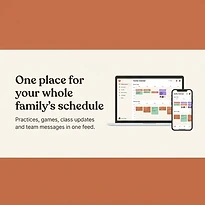
This is where a platform built for family and group coordination can be more practical than disconnected personal calendars. SynclyOne brings school commitments, family schedules, and group activities together so caregivers can plan around the full picture, not just one category of responsibility.
The goal is not to schedule every minute of family life. It is to see the pressure points early. When a school concert overlaps with a follow-up appointment or a coach changes practice times during a work trip, a complete view makes it easier to adjust responsibilities before someone is left scrambling.
Review the week before it starts
Even a well-maintained calendar benefits from a short weekly check-in. This does not need to be a formal meeting. Ten minutes on Sunday evening or Monday morning can reveal a transportation conflict, a missing form, an appointment that needs confirmation, or a day when one caregiver has too much assigned.
Look ahead for changes to routine, not just major events. Is school closed? Does an appointment require fasting? Is there a new practice location? Will a regular caregiver be unavailable? These are the details that create stress when found at the last minute.
A shared calendar cannot remove every unexpected call, sick day, or schedule change. It can give caregivers a stable starting point when those disruptions arrive. When the plan is visible, responsibility is clear, and updates happen in one trusted place, coordination becomes a manageable part of the day rather than the work that fills every gap in it.