
A school field trip organizer app gives families, teachers, and volunteers one clear place to manage the details that usually get scattered across paper forms, inboxes, text threads, and backpacks. That matters when a single missed permission slip, late arrival, or unanswered medication question can create extra work for everyone involved.
Field trips are valuable because they take learning beyond the classroom. Organizing them, however, often means coordinating transportation, attendance, payment deadlines, emergency contacts, lunch plans, chaperone assignments, and last-minute changes. A shared digital system does not remove every task, but it gives the right people visibility into what needs attention and when.
Why field trip coordination breaks down
Most field trip problems are not caused by a lack of effort. They happen because information moves through too many channels. A teacher may send a flyer home, post a note in a school portal, email parents, and answer follow-up questions individually. Parents may mean to return a form but lose track of the deadline among work meetings, practices, appointments, and other school notices.
Chaperones face a different version of the same issue. They need the correct meeting time, destination, student group, transportation details, and contact information. If any of those details change, an organizer has to be certain the update reaches every person who needs it.
The result is a familiar cycle: repeated reminders, duplicate questions, incomplete lists, and a stressful check-in on the morning of the trip. A better process creates a single source of truth rather than asking people to compare several messages and hope they have the newest version.
What a school field trip organizer app should centralize
The most useful app is not just a calendar with a field trip label. It should help an organizer manage the full trip from announcement to return time, while giving parents and volunteers only the information they need to act.
One schedule everyone can see
Start with the core event: date, departure time, return time, destination, meeting location, transportation plan, and what students should bring. This information should be visible alongside regular school and family schedules. Parents are much less likely to miss an early drop-off time when the trip is part of the same system they use to track practices, appointments, and household commitments.
A shared schedule also exposes conflicts early. A caregiver may see that a child has a medical appointment that morning, or a volunteer may notice that they cannot cover the assigned time. Early visibility gives organizers options before the final week.
Action items with clear deadlines
A trip has tasks, not just dates. Permission forms, fees, waivers, lunch selections, emergency information updates, and volunteer confirmations all need a deadline and an owner. An app should make those actions clear rather than burying them in a long announcement.
For parents, the ideal prompt is simple: what is needed, when it is due, and whether it has been completed. For organizers, status visibility matters just as much. They should be able to see who still needs a reminder without publicly calling out families who may need extra time or support.
Contacts and safety details in the right hands
A printed roster still has a place on many trips, particularly where phone service is unreliable. But it should not be the only place essential details live. Teachers and designated chaperones need quick access to approved contacts, student group assignments, relevant health or accessibility notes, and the school’s emergency process.
Access needs boundaries. Not every parent or volunteer should see every student’s personal information. A practical system supports role-based visibility so trip leaders have what they need while private details remain appropriately limited. Convenience should never come at the expense of student privacy.
Updates that do not get lost
Weather delays, traffic, a changed museum entrance, or a bus assignment adjustment can happen on the day of a trip. When updates are spread across email, text messages, and a school platform, families can easily miss the one message that matters most.
A central trip space makes changes easier to find. It also reduces uncertainty for caregivers waiting at pickup. Instead of wondering whether the bus is late or whether a message was sent, they can check the current plan in the same place they found the original schedule.
Build the trip plan before reminders begin
The best time to organize a field trip is before the first announcement goes out. Start by defining the event record and deciding which details are final, which are pending, and who owns each decision. This prevents an app from becoming another place where incomplete information sits without context.
Set the main schedule first, then attach the required actions. If transportation is still being confirmed, say so plainly and identify when families can expect the final information. Clear status updates are better than silence, especially for working caregivers arranging transportation or time off.
Next, assign responsibilities across the adults supporting the trip. A lead teacher may own the itinerary, an office coordinator may track payments, and a parent volunteer may confirm lunch details. The exact division depends on school policy, but each task should have one accountable owner. Shared visibility is helpful; unclear ownership is not.
Then establish the communication rhythm. One initial announcement, one reminder before key deadlines, and one final trip briefing is often more effective than frequent messages with overlapping details. If a meaningful change occurs, send a focused update that identifies exactly what changed and what, if anything, families need to do.
Make participation easier for busy families
Parents and caregivers are more likely to respond when the request is specific and easy to complete. “Field trip information is available” requires them to search for details. “Permission form due Friday, May 10. Student must arrive by 7:30 a.m.” gives them a clear next step.
It also helps to separate required information from optional opportunities. A required permission form should not compete visually with a request for snack donations or extra chaperones. Families need to know what affects their child’s participation first.
Keep accessibility in mind as well. Not every household has the same schedule, transportation options, language needs, or comfort level with digital tools. An app can reduce friction, but it should support a process that remains inclusive. Schools may still need printed alternatives, direct outreach, or flexible payment arrangements. Digital organization works best when it improves access rather than creating a new barrier.
Support chaperones without overloading them
Chaperones are often willing to help but hesitant because they do not know what the role involves. A concise digital briefing can reduce that uncertainty. It should cover the meeting point, expected arrival time, assigned students, supervision expectations, emergency contacts, and the plan for transitions such as boarding buses or entering a venue.
Avoid giving every chaperone a flood of information that is only relevant to the trip leader. The goal is not to turn volunteers into administrators. Give each person the details needed for their group, plus a reliable way to reach the lead adult if something changes.
For larger trips, group assignments are especially useful. When each adult can see their assigned students and the agreed check-in points, headcounts become more consistent. The trip leader can focus on the overall plan instead of answering the same logistical question several times.
Choose an app that fits real household coordination
A standalone school tool may work well for a single event. But families usually do not manage field trips in isolation. They are also coordinating school activities, sports, team practices, childcare, work schedules, and shared responsibilities at home.
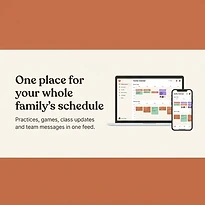
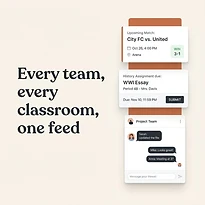
That is where a broader coordination platform can be useful. SynclyOne is designed to bring family, school, and team commitments into one organized system, helping adults see a field trip alongside the other obligations that shape their week. For a caregiver, that combined view can be more practical than checking separate calendars and message threads.
Still, the right choice depends on the group. A classroom may need strong permission tracking and school-approved communication controls. A parent-led youth team may care more about availability, carpools, and volunteer coverage. Before adopting any app, clarify who will manage it, what information will be stored, who can access it, and how families will receive urgent updates.
Keep the day-of plan simple
On trip day, the app should support execution, not create new steps. Organizers need a final attendance view, emergency information for authorized adults, group assignments, and a way to communicate changes. Families need confirmation of departure and return expectations, especially if timing shifts.
After the trip, close out any remaining tasks promptly. Share return updates, record expenses if needed, and remove or archive trip-specific access according to school policy. A short note about what worked and what caused confusion can improve the next event more than a complete redesign of the process.
A well-organized field trip gives students more time to learn and gives adults fewer details to chase. When schedules, actions, and communication stay in one clear place, the day can feel less like a coordination test and more like the experience it was meant to be.