
A school event calendar can look manageable at the start of a semester: a few early-release days, conferences, performances, games, and fundraisers. Then permission slips arrive, practice times change, a teacher sends a reminder through a separate app, and two children need to be in different places at the same time. The issue is rarely a lack of information. It is that the information is scattered.
For busy families and group organizers, the goal is not simply to record dates. It is to create shared visibility around the commitments that affect transportation, childcare, work schedules, meals, supplies, and attendance. A useful calendar turns a stream of school notices into a plan people can actually follow.
What a School Event Calendar Needs to Do
A school calendar published by the district is helpful, but it does not solve day-to-day coordination. It usually covers closures, breaks, and major dates. Families still need a practical view of the events tied to each child, classroom, activity, and team.
That view should answer a few basic questions quickly: What is happening? Who needs to attend? Where is it? What needs to be prepared? And does the event affect anyone else's schedule?
This is why a school event calendar works best as a shared operating calendar rather than a personal list. A parent may know about the science fair, but another caregiver needs to know pickup will be later that day. A coach may need to see that a school concert conflicts with practice. A student may need a reminder that costume pieces are due before the performance, not on the night of it.
The calendar should hold the event and the context around it. Without that context, people still have to search messages, ask follow-up questions, and make last-minute arrangements.
Start With the Dates That Affect the Whole Household
Begin by adding the dates that change the normal rhythm of the week. These are district closures, early dismissals, teacher workdays, school breaks, parent-teacher conferences, and testing periods. They may not feel like events, but they often create the biggest scheduling consequences.
An early-dismissal day can affect work coverage, transportation, after-school care, and sports practice. A long weekend can shift recurring appointments or travel plans. Adding these dates first creates a reliable foundation before the smaller details begin to arrive.
Next, add child-specific commitments. Include classroom parties, field trips, project due dates, performances, picture day, club meetings, athletic events, volunteer shifts, and fundraising deadlines. If a date requires a response, payment, form, supply, or ride, it belongs on the calendar.
Avoid the temptation to add only the event title. “Band concert” does not tell a family enough. A clearer entry might include arrival time, venue, uniform requirements, parking notes, and whether siblings need separate care. Brief details in one consistent place prevent the familiar scramble of checking email in a parking lot.
Use Categories Without Making the Calendar Hard to Read
Color categories or labels make a full schedule easier to scan, especially when more than one child or group is involved. The key is to keep the system simple enough that everyone understands it at a glance.
You might separate schoolwide dates from individual school activities, then distinguish extracurricular commitments such as sports, music, or clubs. Household responsibilities can remain visible too, because school events do not happen in isolation. An evening conference may overlap with a medical appointment, a work deadline, or another child’s game.
Too many colors and categories create their own kind of clutter. If every event has multiple labels, the calendar becomes harder to interpret than the messages it replaced. Start with the few distinctions that guide real decisions: who the event is for, what type of commitment it is, and whether it requires action before the date.
For families with several children, naming conventions matter. Put the child’s name or initials first when it helps distinguish events quickly. For example, “Maya - Field Trip Form Due” is clearer than “Field Trip Form Due” when several school notices are active at once.
Build in the Work Around the Event
Most missed school obligations are not missed because the event itself was unknown. They are missed because the preparation was not visible.
A field trip may require a permission slip by Tuesday, a packed lunch on Thursday, and a specific drop-off time on Friday. A school event calendar should make those connected tasks visible as separate reminders or calendar entries. The same approach works for supplies, payments, sign-ups, transportation, and volunteer commitments.
This is especially useful for events that depend on several adults. If one caregiver handles the form while another manages pickup, assigning or clearly noting the responsibility removes assumptions. It also prevents duplicated effort, such as two people buying the same classroom supplies or both assuming the other person registered the child.
There is a trade-off here. Adding every tiny task can make a calendar feel noisy. Reserve separate reminders for actions that have a deadline, require preparation, or could create a real problem if overlooked. A simple note is enough for lower-stakes details.
Make Sharing a Default, Not an Extra Step
A calendar only reduces coordination stress when the right people can see it. That can include parents, caregivers, older students, grandparents, coaches, or a co-parent in another household. The appropriate level of sharing depends on the family and the event, but visibility should not rely on forwarding screenshots and repeating details by text.
For recurring responsibilities, shared access is more reliable than one person serving as the schedule keeper. When the person who normally manages school communication is unavailable, others can still see pickup changes, concert times, or required materials.
Families should also decide what belongs on a broad shared calendar and what needs limited visibility. A school play schedule may be useful for everyone. A private student meeting may only need to be shared with the adults directly involved. Clear boundaries protect privacy without returning to disconnected systems.
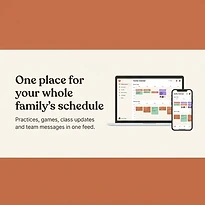
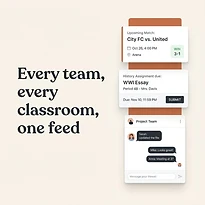
A platform such as SynclyOne can help bring school commitments, household schedules, and team activities into the same coordinated view. That matters when a school event affects more than the student who attends it.
Review the Calendar Before the Week Starts
The best time to find a conflict is before it becomes an emergency. A short weekly review gives households a chance to spot overlapping commitments, missing rides, supply deadlines, and unusual schedule changes.
Choose a consistent time, such as Sunday evening or the start of the workweek. Review the next seven to 10 days, not just tomorrow. Look for events that alter transportation, require preparation, or involve more than one person.
This is also the right time to confirm what is still uncertain. School schedules change. Game locations move. Weather affects outdoor events. Treat calendar entries as a central plan that can be updated, not as a fixed record that no one checks again.
For group organizers and coaches, a weekly review can reduce confusion across the team. If a school concert creates a likely attendance conflict, seeing it early allows for a practical adjustment. It is better than learning about the conflict 20 minutes before practice.
Keep Updates Consistent When Plans Change
A school event calendar is only trusted if it stays current. When an event changes, update the source calendar first rather than sending a separate message that may be buried later. Then add a short note about what changed: new time, new location, cancellation, or changed preparation requirements.
Consistency matters more than perfection. Families do not need a complicated system with every possible feature. They need one place that is easy to update, easy to check, and clear enough for everyone involved to act on.
The calendar should reduce questions, not create a new administrative task. If an approach takes too long to maintain, simplify it. Use fewer categories, shorten event notes, or focus on the commitments that affect multiple people.
A well-run school event calendar gives busy households something more useful than a list of dates: a shared plan for getting everyone where they need to be, with fewer surprises along the way.