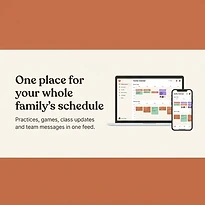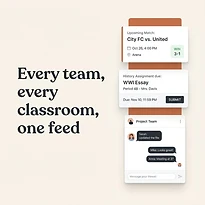

A practice moves to a different field. A school event is added with two days' notice. One parent assumes the other is handling the ride. By the time the details travel through texts, email threads, and separate calendars, someone is already behind. A group activity planner gives everyone a shared place to see what is happening, what has changed, and who is responsible.
For families, coaches, caregivers, and community organizers, the problem is rarely a lack of commitment. It is a lack of clear, current information. When schedules and updates live in several places, coordination becomes a daily task that depends too heavily on memory.
What a Group Activity Planner Should Solve
A useful planner does more than display dates. It creates a reliable operating view of the activities that affect a group, from recurring practices and school commitments to one-time meetings, appointments, and volunteer shifts. Everyone who needs the information should be able to find it without asking the same question again.
The practical benefit is visibility. A parent can see a child's rehearsal, a family appointment, and a sibling's game before agreeing to another commitment. A coach can confirm whether practice conflicts with a school event. A group organizer can keep deadlines and event details in context instead of sending repeated reminders to people who may miss them.
The goal is not to turn family life or a team into a complicated project plan. It is to reduce preventable confusion. A good system should make the next step obvious: where to be, when to arrive, what to bring, and whether someone needs to take action.
Why Shared Planning Breaks Down
Most groups start with tools that work well enough at first. One person maintains a calendar, another sends messages, and event details sit in email or a team app. That setup can handle a light schedule. It becomes difficult when several people, locations, and responsibilities overlap.
The issue is not simply that there are too many events. It is that each event has related information. A game may include a departure time, carpool arrangements, uniform instructions, and a weather update. A school function may require a permission form, a payment deadline, and a change to pickup plans. When those details are scattered, the calendar entry alone does not provide enough direction.
Shared planning also breaks down when ownership is unclear. If one person is expected to remember every schedule change, they become the default information desk for the whole group. That creates extra work for them and uncertainty for everyone else. A planner should distribute visibility without requiring every person to become an administrator.
Build One Clear View of Activities
Start by bringing the events that create the most coordination pressure into one shared schedule. For many households, that means school dates, practices, games, appointments, work commitments that affect coverage, and recurring family responsibilities. For a team or community group, it may include meetings, deadlines, shifts, events, and attendance-related details.
Do not try to organize every part of life on the first day. Begin with the information people ask about most often or the commitments most likely to be missed. Once the schedule becomes dependable for those high-impact events, it is easier to add supporting details and recurring routines.
Give Every Event Enough Context
A date and time are only the beginning. Each activity should include the details that prevent follow-up messages: location, start and end time, arrival expectations, participants, preparation items, and any relevant notes. If an event has a deadline before the event itself, record that deadline separately so it does not disappear in the description.
For example, a Saturday tournament should not just say "Tournament, 9:00 a.m." It should clarify the arrival time, venue, team assignment, required gear, and whether transportation has been arranged. That level of detail saves time because it answers questions before they are asked.
Separate What Is Shared From What Is Personal
Not every event needs the same audience. A family may want all household members to see a school concert, while only two adults need visibility into an appointment. A coach may need team-wide practice information while keeping organizer tasks limited to a smaller group.
This is where a flexible structure matters. Shared information builds coordination, but oversharing creates noise. Give people access to the activities that affect their schedule, and keep private or administrative details limited to the people who need them.
Make Responsibilities Visible
Events run more smoothly when the related work is visible too. A calendar can show that a fundraiser is happening Friday, but the group also needs to know who is bringing supplies, collecting payments, setting up, or handling pickup afterward.
Assign responsibilities directly rather than leaving them in a chat message. Clear ownership reduces the familiar cycle of assumptions: someone thought another parent was driving, someone expected a volunteer to bring materials, or nobody realized a task still needed coverage.
For recurring activities, repeat the responsibility pattern when appropriate. If one caregiver usually handles Tuesday practice and another handles Thursday pickup, documenting that rhythm makes it easier to spot exceptions. When a conflict comes up, the group can adjust the assignment instead of rebuilding the plan from scratch.
Use Notifications With Purpose
Reminders are useful, but too many alerts teach people to ignore them. Set notifications around moments when action is needed: a deadline is approaching, an event has changed, or a participant needs to prepare or leave soon.
It also helps to distinguish between a routine reminder and an important update. A weekly practice may need a simple reminder. A canceled practice, changed location, or early departure time deserves a more visible notification. The point is not to generate more messages. It is to make the messages that matter easier to notice.
Before relying on automatic reminders, consider your group's habits. A household with young children may need earlier alerts to manage transportation and preparation. An adult volunteer group may prefer fewer reminders with clearer event details. The right notification plan depends on the people involved and the cost of a missed change.
Create a Simple Weekly Check-In
Even a well-organized system benefits from a short review. A weekly check-in can take ten minutes and prevent a week of avoidable scrambling. Look ahead for conflicts, transportation gaps, supplies, payments, and unusual schedule changes.
For a family, this might happen Sunday evening before the school week begins. For a team, it may happen before the next practice or event cycle. The important part is consistency. A regular review turns the planner into an active coordination tool rather than a place people visit only after something goes wrong.
Ask a few direct questions: What changed? Where do two commitments overlap? Who is responsible for each key task? What needs to be completed before the next event? These questions keep planning grounded in real responsibilities rather than vague awareness.
Choose a System People Will Actually Use
The best group activity planner is not necessarily the one with the longest feature list. It is the one the group can adopt without friction. If people have to search across several screens, remember complicated processes, or manually repeat the same information, they will eventually return to texts and memory.
Look for a system that keeps schedules, activities, and responsibilities in one understandable place. It should work for family administration and organized groups without forcing users to treat those needs as separate worlds. SynclyOne is designed around that practical overlap, helping users manage school obligations, household schedules, and team activities from one shared control center.
Adoption also depends on setting simple expectations. Decide who adds events, who can edit details, and how schedule changes should be communicated. A planner cannot prevent every last-minute change, but a clear process ensures changes reach the right people quickly.
A shared schedule works best when it becomes the group's first place to check, not its backup plan. Give it accurate information, review it regularly, and let it carry the details that should not have to live in anyone's head.